 GoThaiMassage
ตั้งแต่ลงทะเบียน ตั้งตารางว่าง รับการจอง จบงานด้วย PIN ไปจนถึงการรับเงิน
อัปโหลดบัตรประชาชน/ใบรับรองเพื่อขอ เครื่องหมายยืนยันตัวตน ช่วยให้ลูกค้าไว้วางใจและเลือกคุณมากขึ้น
ที่ Dashboard หมอนวด แก้ไขได้:
กำหนด วันและช่วงเวลาที่ว่าง เพื่อให้ลูกค้าจองได้ตรงเวลาที่คุณสะดวก ระบบจะแสดงเฉพาะช่วงที่คุณเปิดไว้ และกันเวลาที่ถูกจองแล้วโดยอัตโนมัติ
แต่ละการจองมี รหัสจอง 4 ตัว (เช่น A3F9) ใช้อ้างอิงและตอนจบงาน คู่กับ PIN 6 หลัก ที่ลูกค้าแจ้ง
เมื่อนวดเสร็จ ลูกค้าจะแจ้ง PIN 6 หลัก ให้คุณ นำไปยืนยันจบงานได้ 2 ทาง:
done <รหัสงาน> <PIN>เชื่อมบัญชี LINE เพื่อรับแจ้งเตือนการจองใหม่อัตโนมัติ (บริการเสริม) คำสั่งที่ใช้ได้:
jobs — ดูรายการงานที่ยืนยันแล้ว (เรียงตามเวลานัดที่ใกล้ถึงก่อน)done <รหัสงาน> <PIN> — ยืนยันจบงานซื้อ Promote (เริ่ม ฿199/สัปดาห์) เพื่อขึ้นอันดับบนสุดในผลค้นหา พร้อมป้ายโปรโมท ช่วยเพิ่มการมองเห็นและโอกาสได้งาน
ดูแพ็กเกจ Promote →แพลตฟอร์มหักค่าธรรมเนียม 10% ต่อการจอง ส่วนที่เหลือคือยอดที่คุณได้รับ
เริ่มโอนเงินให้ ทุกวัน ตั้งแต่เวลา 22:00 น. เป็นต้นไปจนครบ ผ่านบัญชีธนาคารที่ลงทะเบียนไว้ (เฉพาะงานที่จบสมบูรณ์)
ไม่เห็น ลูกค้าต้องเป็นผู้แจ้ง PIN ให้คุณหลังนวดเสร็จ เพื่อยืนยันว่าบริการเสร็จจริง
เริ่มโอนทุกวัน ตั้งแต่เวลา 22:00 น. เป็นต้นไปจนครบ สำหรับงานที่จบสมบูรณ์ (ยืนยัน PIN แล้ว) หักค่าธรรมเนียม 10%
ไม่บังคับ แต่การยืนยันเอกสารช่วยให้ได้เครื่องหมายยืนยัน เพิ่มความน่าเชื่อถือและโอกาสได้งาน
หมอนวดอิสระมีบัญชีและจัดการโปรไฟล์/ตารางของตัวเอง ส่วนหมอนวดในร้านถูกเพิ่มและบริหารโดยร้านนวด
ทีมงานพร้อมช่วยเหลือคุณทุกวันผ่านแชท — เข้าสู่ระบบเพื่อเริ่มแชทกับเรา
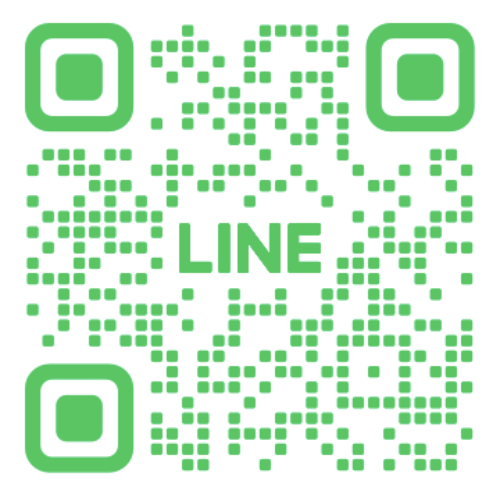
💬 แชทกับทีมช่วยเหลือหรือสแกน QR เพิ่มเพื่อน LINE Official ของ GoThaiMassage แล้วทักหาเราได้เลย
From registering and setting your availability, to taking bookings, finishing with a PIN, and getting paid.
Upload your ID / certificates to earn a verified badge that helps customers trust and choose you.
In the Therapist Dashboard you can edit:
Set the days and time ranges you're available so customers book when you're free. Only your open slots show, and booked times are blocked automatically.
Each booking has a 4-character booking code (e.g. A3F9) for reference and to finish the job, together with the customer's 6-digit PIN.
When the massage is done, the customer gives you the 6-digit PIN. Confirm completion two ways:
done <job code> <PIN>.Connect your LINE to receive new-booking alerts automatically (add-on). Commands:
jobs — list confirmed jobs (soonest appointment first).done <job code> <PIN> — confirm completion.Buy Promote (from ฿199/week) for top placement in search plus a promo badge — boosting your visibility and chances of getting booked.
See Promote plans →The platform takes a 10% fee per booking; the remainder is your payout.
Payouts start daily from 22:00 onwards until all are processed, to your registered bank account (completed jobs only).
No. The customer must give you the PIN after the massage to confirm the service was completed.
Payouts start daily from 22:00 onwards for completed (PIN-confirmed) jobs, less the 10% fee.
It's optional, but verification earns you a verified badge that boosts trust and bookings.
An independent therapist has their own account and manages their own profile/schedule, while a shop therapist is added and managed by a shop.
Our team is here every day via chat — log in to start chatting with us.
💬 Chat with supportOr scan the QR to add GoThaiMassage's LINE Official and message us directly.