← ศูนย์ช่วยเหลือ← Help Center
🏪

คู่มือสำหรับร้านนวด

ตั้งแต่ลงทะเบียนร้าน เพิ่มหมอนวด จัดการคิว รับการจอง จบงานด้วย PIN ไปจนถึงการรับเงิน

1. ลงทะเบียนร้านและรออนุมัติ
  1. สมัครบัญชีแล้วเลือกบทบาท ร้านนวด กรอกข้อมูลร้าน บริการ ราคา และที่อยู่
  2. ร้านจะอยู่สถานะ “รออนุมัติ” (pending)
  3. แอดมินตรวจสอบและอนุมัติ → ร้านแสดงในหน้าค้นหา
ลงทะเบียนร้านนวด →
2. การยืนยันเอกสาร (เครื่องหมายยืนยัน) ✅

อัปโหลดเอกสารยืนยันตัวตน/ใบรับรองเพื่อขอ เครื่องหมายยืนยัน ที่แสดงให้ลูกค้าเห็นว่าร้านน่าเชื่อถือ

🔒 เอกสารตัวจริงเก็บแบบปลอดภัย ใช้เฉพาะการตรวจสอบของแอดมิน ลูกค้าเห็นเพียงเครื่องหมายยืนยัน ไม่เห็นเอกสาร — และการยืนยันเป็นทางเลือก ไม่ทำก็เปิดร้านได้
3. จัดการโปรไฟล์ร้าน

ที่ Dashboard ร้านนวด แก้ไขได้ทั้ง:

  • ชื่อร้าน รูป โลโก้ และคำอธิบาย
  • รายการ บริการและราคา (กรอกได้ทั้งไทย/อังกฤษ)
  • ที่อยู่และตำแหน่งบนแผนที่ เพื่อให้ลูกค้าค้นหาและนำทางได้
ไปที่ Dashboard ร้าน →
4. เพิ่ม/ลบหมอนวดในร้าน

เพิ่มหมอนวดของร้านได้จาก Dashboard โดยไม่ต้องให้หมอนวดสมัครบัญชีเอง — กรอกชื่อ บริการ และราคาของแต่ละคน

💡 หมอนวดในร้าน (shop massagers) เป็นคนละส่วนกับ “หมอนวดอิสระ” ที่มีบัญชีของตัวเอง ร้านเป็นผู้จัดการข้อมูลให้ทั้งหมด
5. ตารางคิวและ “ตามคิว (ร้านจัดให้)”

ร้านสามารถเปิดรับการจองแบบ ตามคิว ได้ — ลูกค้าจองช่วงเวลาโดยไม่เจาะจงหมอนวด ระบบคุมจำนวนคิวตามความจุที่ร้านรับได้ในแต่ละช่วง แล้วร้านค่อยจัดหมอนวดให้ในวันจริง

เหมาะกับร้านที่มีหมอนวดหลายคนหรือสลับคิวกัน เพิ่มโอกาสรับงานได้มากขึ้น

6. รับและจัดการการจอง
  • การจองที่ใช้งานอยู่ (active) — รายการที่กำลังจะถึง/ดำเนินการ
  • ประวัติการจอง — รายการที่เสร็จสิ้น/ยกเลิกแล้ว ซ่อนรายการที่ไม่ต้องการได้

แต่ละการจองมี รหัสการจอง (GTM-XXXXXX) และ รหัสงาน 4 ตัว สำหรับอ้างอิงตอนจบงาน

7. จบงานด้วยรหัส PIN 🔐

เมื่อนวดเสร็จ ลูกค้าจะแจ้ง PIN 6 หลัก ให้ร้าน นำ PIN ไปยืนยันจบงานได้ 2 ทาง:

  1. ในหน้า Dashboard — เปิดการจองนั้นแล้วกรอก PIN
  2. ผ่าน LINE — พิมพ์ done <รหัสงาน> <PIN>
⚠️ กรอก PIN ถูกต้องเท่านั้นจึงจะจบงานได้ — นี่คือกลไกที่ทำให้แน่ใจว่าบริการเสร็จจริงก่อนนับยอดและจ่ายเงิน
8. เชื่อม LINE แจ้งเตือน + คำสั่ง

เชื่อมบัญชี LINE ของร้านเพื่อรับแจ้งเตือนการจองใหม่อัตโนมัติ (บริการเสริม) แต่ละข้อความมีรายละเอียดลูกค้า บริการ เวลา และยอดค่าบริการ

คำสั่งที่ใช้ได้ใน LINE:

  • jobs — ดูรายการงานที่ยืนยันแล้ว (เรียงตามเวลานัดที่ใกล้ถึงก่อน)
  • done <รหัสงาน> <PIN> — ยืนยันจบงาน
9. แพ็กเกจ Free / Business และ Promote
  • Free — ฿0/เดือน ใช้งานพื้นฐานครบ
  • Business — ฿299/เดือน เพิ่มระบบ POS/คิว และ Dashboard หลายหมอนวด
  • Promote (เสริม) — ฿199/สัปดาห์ ขึ้นอันดับบนสุด + ป้ายโปรโมท
ค่าธรรมเนียมแพลตฟอร์มคงที่ 10% ทุกแพ็กเกจ (เท่ากันทั้ง Free และ Business)
ดูแพ็กเกจ Promote →
10. การรับเงินและค่าธรรมเนียม 💵

แพลตฟอร์มหักค่าธรรมเนียม 10% ต่อการจอง ส่วนที่เหลือคือยอดที่ร้านได้รับ

เริ่มโอนเงินให้ ทุกวัน ตั้งแต่เวลา 22:00 น. เป็นต้นไปจนครบ ผ่านบัญชีธนาคารที่ลงทะเบียนไว้ (เฉพาะงานที่จบสมบูรณ์)

คำถามที่พบบ่อย

หมอนวดในร้านต้องสมัครบัญชีเองไหม?

ไม่ต้อง ร้านเพิ่มและจัดการข้อมูลหมอนวดให้ได้ทั้งหมดจาก Dashboard โดยหมอนวดไม่ต้องมีบัญชี Firebase ของตัวเอง

กรอก PIN ผิด จะเกิดอะไรขึ้น?

ระบบจะไม่จบงานให้จนกว่าจะกรอก PIN ถูกต้อง ขอ PIN ที่ถูกจากลูกค้าหลังนวดเสร็จอีกครั้ง

ได้รับเงินเมื่อไหร่?

เริ่มโอนทุกวัน ตั้งแต่เวลา 22:00 น. เป็นต้นไปจนครบ สำหรับงานที่จบสมบูรณ์ (ยืนยัน PIN แล้ว) หักค่าธรรมเนียม 10%

ต่างจากหมอนวดอิสระอย่างไร?

ร้านนวดบริหารหมอนวดหลายคนและระบบคิว/POS ได้ ส่วนหมอนวดอิสระคือผู้ให้บริการรายเดียวที่จัดการโปรไฟล์และตารางของตัวเอง

ยังไม่หายสงสัย?

ทีมงานพร้อมช่วยเหลือร้านของคุณทุกวันผ่านแชท — เข้าสู่ระบบเพื่อเริ่มแชทกับเรา

💬 แชทกับทีมช่วยเหลือ

หรือสแกน QR เพิ่มเพื่อน LINE Official ของ GoThaiMassage แล้วทักหาเราได้เลย
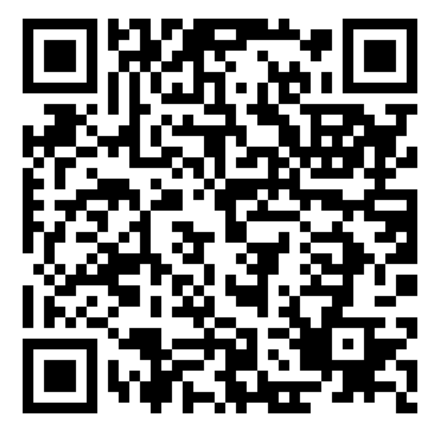
LINE Official GoThaiMassage QR code
🏪

Massage Shop Guide

From registering your shop and adding therapists, to managing the queue, taking bookings, finishing with a PIN, and getting paid.

1. Register your shop & get approved
  1. Sign up and choose the Shop role; fill in shop details, services, prices, and address.
  2. Your shop starts as “Pending”.
  3. An admin reviews and approves it → your shop appears in search.
Register a shop →
2. Document verification (verified badge) ✅

Upload identity documents / certificates to earn a verified badge that shows customers your shop is trustworthy.

🔒 Original documents are stored securely for admin review only. Customers see only the badge, not the documents — and verification is optional; you can operate without it.
3. Manage your shop profile

In the Shop Dashboard you can edit:

  • Shop name, photos, logo, and description.
  • Your list of services and prices (in both Thai and English).
  • Address and map location so customers can find and navigate to you.
Go to Shop Dashboard →
4. Add/remove shop therapists

Add your shop's therapists from the Dashboard without them creating their own account — enter each one's name, services, and prices.

💡 Shop therapists are separate from “independent therapists” who have their own accounts. The shop manages all their data.
5. Queue & “by queue (shop assigns)”

Your shop can accept queue bookings — customers book a time slot without choosing a specific therapist. The system caps bookings by your capacity per slot, and you assign a therapist on the day.

Ideal for shops with multiple therapists — it increases how many jobs you can take.

6. Receive & manage bookings
  • Active bookings — upcoming/in-progress items.
  • Booking history — completed/cancelled items; hide ones you don't need.

Each booking has a Booking ID (GTM-XXXXXX) and a 4-character job code used when finishing the job.

7. Finish with the PIN 🔐

When the massage is done, the customer gives you the 6-digit PIN. Confirm completion two ways:

  1. In the Dashboard — open the booking and enter the PIN.
  2. Via LINE — type done <job code> <PIN>.
⚠️ The job only completes with the correct PIN — this guarantees the service really happened before counting earnings and paying out.
8. Connect LINE alerts + commands

Connect your shop's LINE to receive new-booking alerts automatically (add-on). Each message includes customer, service, time, and amount.

LINE commands:

  • jobs — list confirmed jobs (soonest appointment first).
  • done <job code> <PIN> — confirm completion.
9. Free / Business plans & Promote
  • Free — ฿0/month, all the essentials.
  • Business — ฿299/month, adds the POS/queue system and multi-therapist dashboard.
  • Promote (add-on) — ฿199/week for top placement + promo badge.
The platform fee is a flat 10% on every plan (same for Free and Business).
See Promote plans →
10. Payouts & fees 💵

The platform takes a 10% fee per booking; the remainder is your payout.

Payouts start daily from 22:00 onwards until all are processed, to your registered bank account (completed jobs only).

Frequently asked questions

Do shop therapists need their own account?

No. The shop adds and manages all therapist data from the Dashboard; they don't need their own Firebase account.

What happens if I enter the wrong PIN?

The job won't complete until the correct PIN is entered. Ask the customer for the right PIN again after the massage.

When do I get paid?

Payouts start daily from 22:00 onwards for completed (PIN-confirmed) jobs, less the 10% fee.

How is this different from an independent therapist?

A shop manages multiple therapists and the queue/POS system, while an independent therapist is a single provider managing their own profile and schedule.

Still need help?

Our team is here for your shop every day via chat — log in to start chatting with us.

💬 Chat with support

Or scan the QR to add GoThaiMassage's LINE Official and message us directly.

LINE Official GoThaiMassage QR code
© 2026 GoThaiMassage · Help Center · Home