← ศูนย์ช่วยเหลือ← Help Center
🧑

คู่มือสำหรับลูกค้า

ตั้งแต่ค้นหาหมอนวด จองคิว ชำระเงิน ไปจนถึงการจบงานด้วยรหัส PIN และเขียนรีวิว

1. สมัครและเข้าสู่ระบบ

สมัครได้ฟรีด้วย 2 วิธี:

  • บัญชี Google — กดเข้าสู่ระบบด้วย Google เพียงคลิกเดียว
  • อีเมล (กรอกฟอร์มในหน้าเว็บ) — กรอกชื่อ อีเมล และรหัสผ่านในหน้าสมัคร แล้วยืนยันอีเมลผ่านลิงก์ที่ส่งให้

หลังเข้าสู่ระบบ ไปที่ บัญชีของฉัน เพื่อกรอกชื่อ เบอร์ติดต่อ และอัปโหลดรูปโปรไฟล์ (รูปนี้จะแสดงตอนคุณเขียนรีวิว)

เข้าสู่ระบบ →
2. ค้นหาหมอนวดและร้านนวด

ที่หน้า ค้นหาหมอนวด คุณสามารถ:

  • กรองตาม จังหวัด และ ประเภทบริการ (นวดแผนไทย อโรมา สปอร์ต ฯลฯ)
  • ดูบนแผนที่ เพื่อหาผู้ให้บริการใกล้ตัว — คลิกหมุดเพื่อดูรูปและคะแนน
  • กด หัวใจ ♥ เพื่อบันทึกเป็นรายการโปรด ดูภายหลังได้ในบัญชีของฉัน
เริ่มค้นหา →
3. จองและชำระเงิน
  1. เปิดโปรไฟล์หมอนวด/ร้าน เลือก บริการ วันและเวลา ที่ว่าง แล้วกดจอง
  2. ระบบสร้างคำขอจอง สถานะ “รออนุมัติ” รอผู้ให้บริการ/ทีมงานยืนยัน
  3. เมื่ออนุมัติแล้ว ชำระเงินผ่าน PromptPay (สแกน QR แล้วแนบสลิป) หรือ บัตรเครดิต/PayPal
  4. ทีมงานตรวจสอบการชำระเงิน → การจองเปลี่ยนเป็น “ยืนยันแล้ว”
💡 ราคาที่แสดงรวมค่าบริการแล้ว แพลตฟอร์มคิดค่าธรรมเนียม 10% จากผู้ให้บริการ ไม่ได้เก็บเพิ่มจากคุณ
4. จองแบบ “ตามคิว (ร้านจัดให้)”

บางร้านเปิดให้จองโดยไม่ต้องเลือกหมอนวดเจาะจง — เลือกตัวเลือก “ตามคิว (ร้านจัดให้)” ระบบจะจองคิวตามเวลาที่ร้านรับได้ แล้วร้านจะจัดหมอนวดให้คุณเองในวันนั้น

เหมาะกับคนที่สะดวกเวลาไหนก็ได้ ไม่เจาะจงหมอ ทำให้มีโอกาสได้คิวมากขึ้น

5. รหัส PIN 6 หลักคืออะไร 🔐

PIN 6 หลัก คือรหัสยืนยัน “จบงาน” ที่คุณจะได้รับหลังชำระเงินสำเร็จ ดูได้ในหน้า บัญชีของฉัน → การจองของฉัน

⚠️ เก็บ PIN เป็นความลับ ห้ามบอกใครก่อนนวดเสร็จ — เพราะ PIN คือหลักฐานว่าบริการเสร็จสมบูรณ์จริง หมอนวดจะได้รับเงินก็ต่อเมื่อกรอก PIN ถูกต้อง การให้ PIN ก่อนนวดเท่ากับยืนยันงานทั้งที่ยังไม่ได้รับบริการ

หมอนวดมองไม่เห็น PIN ของคุณ มีแต่คุณเท่านั้นที่เห็น

6. วันนัด: ปุ่มนำทาง

เมื่อถึงวันนัด เปิด บัญชีของฉัน → การจองของฉัน แล้วกดปุ่ม นำทาง 🗺 ระบบจะเปิดแผนที่และนำทางไปยังจุดหมายเพื่อไปนวด

7. จบงาน: แจ้ง PIN ให้หมอนวด

เมื่อนวดเสร็จเรียบร้อย จึงแจ้งรหัส PIN 6 หลัก ให้หมอนวด/ร้าน เพื่อยืนยันจบงานในระบบ จากนั้นหมอนวดจึงจะได้รับเงินค่าบริการ

✅ แจ้ง PIN เฉพาะเมื่อพอใจกับบริการแล้วเท่านั้น
8. รีวิวและให้คะแนน

หลังการจองเป็นสถานะ “เสร็จสิ้น” คุณสามารถให้ดาว (1–5) และเขียนรีวิวได้ที่หน้าการจองของคุณ รีวิว 1 ครั้งต่อ 1 การจอง

ชื่อและรูปโปรไฟล์ของคุณจะแสดงคู่กับรีวิวบนหน้าโปรไฟล์ผู้ให้บริการ เพื่อช่วยลูกค้าคนอื่นตัดสินใจ

9. จัดการบัญชีและการจอง
  • ซ่อนการจอง — ที่ “ประวัติการจอง” กดซ่อนรายการที่ไม่อยากเห็นได้ (เฉพาะมุมมองของคุณ)
  • ยกเลิก — ยกเลิกการจองที่ยังไม่เสร็จได้จากหน้าการจอง
  • รายการโปรด — ดูหมอนวด/ร้านที่บันทึกไว้
  • โปรไฟล์ — แก้ชื่อ เบอร์ รูปโปรไฟล์ และรหัสผ่าน
💸 เปลี่ยนร้านหรือหมอนวด: กรณีโอนเงินมาแล้วต้องการเปลี่ยน ให้ ยกเลิกการจองเดิมก่อน หากต้องการเงินคืน ให้ แจ้งในแชทช่วยเหลือ ทีมงานจะคืนเงินให้ ภายใน 24 ชม.
ไปที่บัญชีของฉัน →
10. ความหมายของป้าย/สัญลักษณ์ 🏷️

ป้ายบนการ์ดในหน้าค้นหาหมอนวด ช่วยให้คุณเลือกผู้ให้บริการได้ง่ายและมั่นใจขึ้น:

  • 🔥 โปรโมท — ร้าน/หมอนวดที่ซื้อแพ็กเกจโปรโมทให้แสดงอันดับบนสุด
  • Business — ร้านที่ใช้แพ็กเกจ Business (มีระบบจัดการหน้าร้าน/คิว)
  • ✓ S-Verifiedร้านนวดที่ยืนยันเอกสาร/ตัวตนกับทีมงานแล้ว เชื่อถือได้
  • ✓ T-Verifiedหมอนวดอิสระที่ยืนยันเอกสาร/ตัวตนแล้ว
  • 👩 หญิง 👨 ชาย 🧑 อื่นๆ — เพศของหมอนวด
  • -10% — บริการนั้นมีส่วนลด (จะเห็นราคาลดในกล่องบริการ)
ดูในหน้าค้นหา →

คำถามที่พบบ่อย

จ่ายเงินแล้ว ต้องรอนานไหมกว่าจะยืนยัน?

โดยทั่วไปทีมงานตรวจสอบสลิป/การชำระเงินและยืนยันให้ภายในเวลาไม่นาน เมื่อยืนยันแล้วสถานะจะเปลี่ยนเป็น “ยืนยันแล้ว” และคุณจะเห็นรหัส PIN

ถ้าทำ PIN หายหรือลืม ทำอย่างไร?

เปิดดูได้ตลอดที่หน้า บัญชีของฉัน → การจองของฉัน ในรายการการจองนั้น PIN จะอยู่กับการจองเสมอ

โอนเงินแล้วอยากเปลี่ยนร้าน/หมอนวด หรือขอเงินคืน ทำอย่างไร?

กรณีโอนเงินมาแล้วต้องการเปลี่ยนร้านหรือหมอนวด ให้ยกเลิกการจองเดิมก่อน หากต้องการเงินคืน ให้แจ้งในแชทช่วยเหลือ ทีมงานจะคืนเงินให้ภายใน 24 ชม.

หมอนวดเห็นรหัส PIN ของฉันไหม?

ไม่เห็น ระบบออกแบบให้มีเพียงคุณ (ลูกค้า) เท่านั้นที่เห็น PIN และจะใช้ก็ต่อเมื่อคุณแจ้งให้หมอนวดหลังนวดเสร็จ

ยังไม่หายสงสัย?

ทีมงานพร้อมช่วยเหลือคุณทุกวันผ่านแชท — เข้าสู่ระบบเพื่อเริ่มแชทกับเรา

💬 แชทกับทีมช่วยเหลือ

หรือสแกน QR เพิ่มเพื่อน LINE Official ของ GoThaiMassage แล้วทักหาเราได้เลย
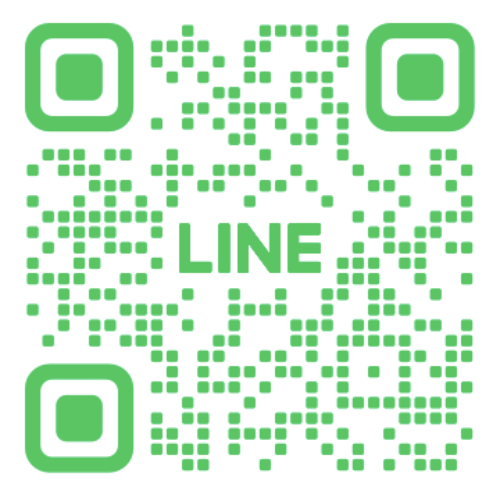
LINE Official GoThaiMassage QR code
🧑

Customer Guide

From finding a therapist and booking, to paying, finishing with a PIN, and writing a review.

1. Sign up & log in

Sign up free in two ways:

  • Google account — one-click sign-in with Google.
  • Email (sign-up form) — enter your name, email and password on the sign-up page, then verify via the email link we send you.

After logging in, go to My Account to add your name, contact, and profile photo (this photo appears when you write a review).

Log in →
2. Find therapists & shops

On the Browse page you can:

  • Filter by province and service type (Thai, aroma, sports, etc.).
  • Use the map to find providers near you — tap a pin to see photo and rating.
  • Tap the heart ♥ to save favourites for later in My Account.
Start browsing →
3. Book & pay
  1. Open a therapist/shop profile, pick a service, date and time, then book.
  2. A request is created with status “Pending approval”.
  3. Once approved, pay via PromptPay (scan QR, upload slip) or credit card / PayPal.
  4. Our team verifies the payment → your booking becomes “Confirmed”.
💡 Prices already include service. The platform charges providers a 10% fee — nothing extra is added to you.
4. Booking “by queue (shop assigns)”

Some shops let you book without choosing a specific therapist — pick “By queue (shop assigns)” and the shop will assign a therapist for you on the day, based on available capacity.

Great if you're flexible on who serves you — it improves your chance of getting a slot.

5. What is the 6-digit PIN? 🔐

The 6-digit PIN confirms “job complete”. You receive it after payment succeeds, visible under My Account → My Bookings.

⚠️ Keep your PIN secret. Do not share it before the massage is finished — the PIN is proof the service was completed, and the therapist is only paid once the correct PIN is entered.

Therapists cannot see your PIN — only you can.

6. On the day: Navigate

On your appointment day, open My Account → My Bookings and tap Navigate 🗺 to open the map and get directions to your massage.

7. Finish: give the PIN

Once your massage is finished, give the 6-digit PIN to the therapist/shop to confirm completion. Only then is the therapist paid.

✅ Share the PIN only when you're happy with the service.
8. Rate & review

Once a booking is “Completed”, you can give 1–5 stars and write a review from your bookings page. One review per booking.

Your name and profile photo appear with the review on the provider's profile to help other customers decide.

9. Manage account & bookings
  • Hide bookings — in “Booking history”, hide items you don't want to see (your view only).
  • Cancel — cancel an unfinished booking from the bookings page.
  • Favourites — view saved therapists/shops.
  • Profile — edit name, phone, photo, and password.
💸 Changing shop or therapist: if you've already paid and want to change, cancel the existing booking first. To request a refund, message us in support chat and we'll refund you within 24 hours.
Go to My Account →
10. What the badges mean 🏷️

Badges on the cards in Find Therapists help you choose with confidence:

  • 🔥 Promoted — a shop/therapist on a promotion plan, shown at the top
  • Business — a shop on the Business plan (with the shop-management/queue system)
  • ✓ S-Verified — a shop whose documents/identity were verified by our team
  • ✓ T-Verified — an independent therapist whose documents/identity were verified
  • 👩 Female 👨 Male 🧑 Other — the therapist's gender
  • -10% — that service has a discount (sale price shown in the service box)
See it on the search page →

Frequently asked questions

After paying, how long until it's confirmed?

Our team usually verifies the slip/payment shortly. Once confirmed, the status changes to “Confirmed” and you'll see your PIN.

What if I lose or forget my PIN?

You can view it anytime under My Account → My Bookings — the PIN always stays with that booking.

Paid already but want to change shop/therapist or get a refund?

If you've already paid and want to change shop or therapist, cancel the existing booking first. To request a refund, message us in support chat and we'll refund you within 24 hours.

Can the therapist see my PIN?

No. By design only you (the customer) can see the PIN, and it's only used when you give it to the therapist after the massage.

Still need help?

Our team is here every day via chat — log in to start chatting with us.

💬 Chat with support

Or scan the QR to add GoThaiMassage's LINE Official and message us directly.

LINE Official GoThaiMassage QR code
© 2026 GoThaiMassage · Help Center · Home